Valerus can be controlled externally with simple commands by using the Vicon Host PLC protocol.
Although a serial version exists this document refers only to the TCP PLC version.
The Valerus PLC Help Tool allows the user to not only test all the available commands but is presented with the actual string being sent to Valerus. This makes it easy to copy and paste commands in to your own code. The software can be used on or offline.
Once installed, to use on-line you will need to configure the PLC TCP port within Valerus User Settings and ensure that you are using the correct port and IP address on the Help tool software.
The PLC Help Tool has it's own additional information window to help you.
Please Note: Apart from Initial password verification, there is no feedback from the Valerus PLC protocol.
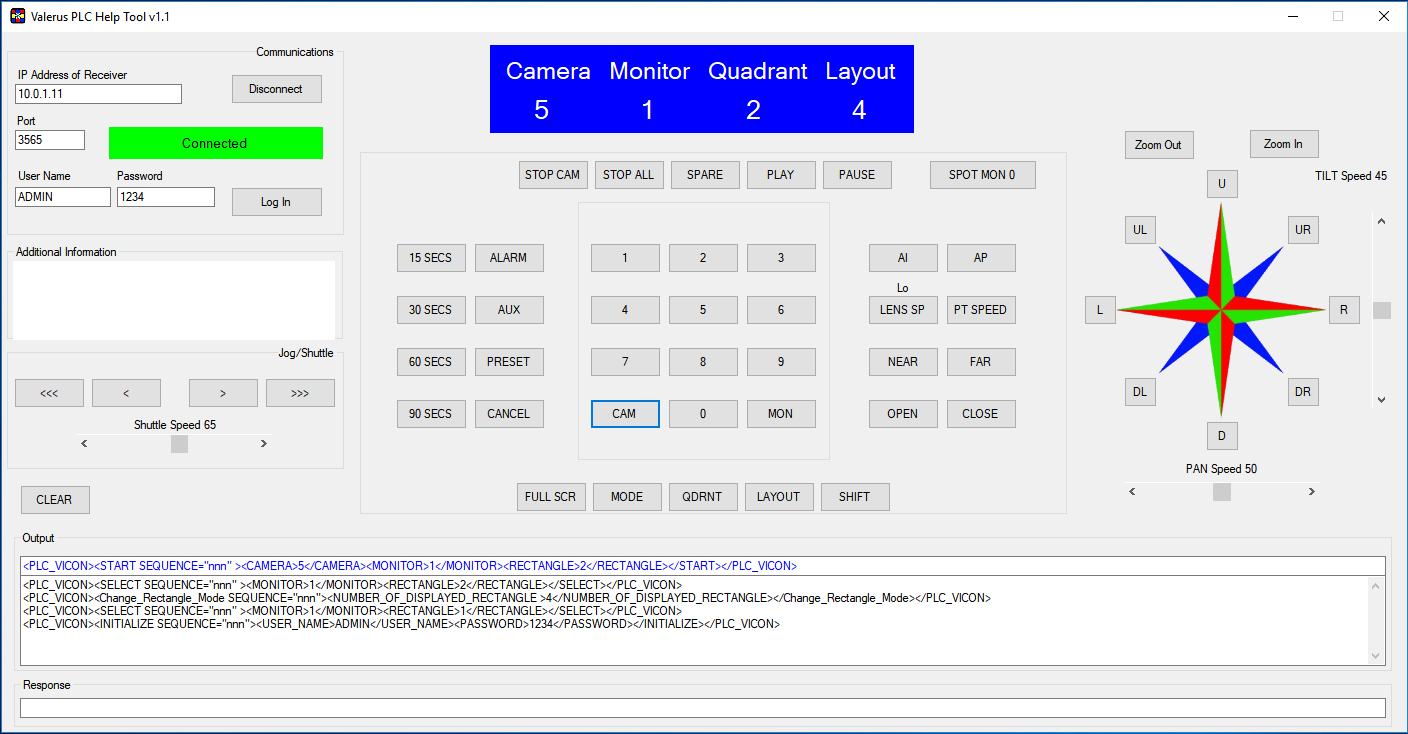
The Valerus PLC Help Tool can be downloaded by clicking the link below: