SYMPTOM: After upgrading to Valerus 21.3 the Valerus dashboard is indicating an issue communicating with the Windows performance monitor for the Application server or NVRs.
SOLUTION: Found that in certain PCs the Windows performance monitor is stuck and Valerus cannot connect to it which causes the failure. Clearing out the Windows performance monitor remedies the issue.
To correct the issue - Open up Command prompt as an administrator and run the following commands.
cd c:\windows\system32
lodctr /R
and then
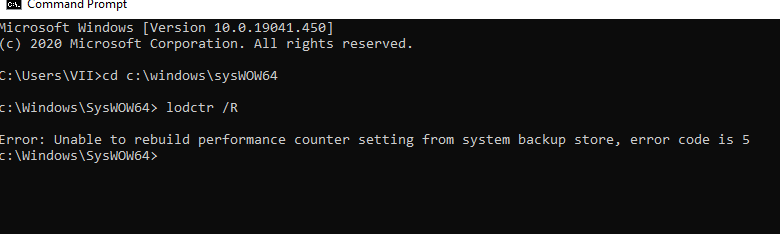
cd c:\windows\sysWOW64
lodctr /R
It is expected that at least one of the two will succeed (OS dependent) and show Info: “Successfully rebuild performance counter settings”
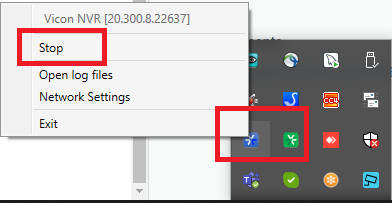
You may then need to restart the VIIAPP and VIINVR (depending on if the system corrected) services from the icon in the system tray or from windows services.
If you have questions please submit a ticket at https://vicon-security.zendesk.com/hc/en-us/requests/new