UPDATE: There is now a simple tool available that will reset the counters and restart the Valerus services with one click of a button. Windows Performance Counter Reset Tool
This is the manual method -
SYMPTOM: After upgrading to Valerus 20R2 the Application and NVR services will not run by normal conventions either from the Valerus Launcher or directly from the service using Automatic or Manually. When trying to start services, it will fail stating service is already in use.
SOLUTION: Found that in certain PCs the Windows performance monitor is stuck and Valerus cannot connect to it which causes the failure. Clearing out the Windows performance monitor remedies the issue.
To correct the issue - Open up Command prompt as an administrator and run the following commands.
cd c:\windows\system32
lodctr /R
and then
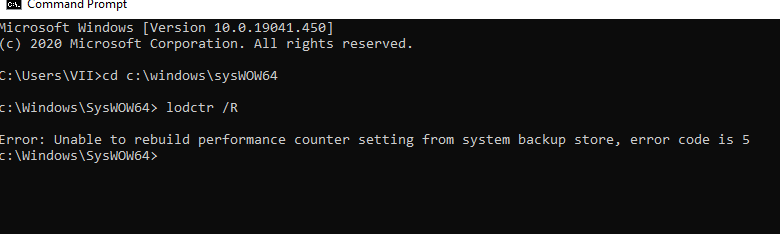
cd c:\windows\sysWOW64
lodctr /R
It is expected that at least one of the two will succeed (OS dependent) and show Info: “Successfully rebuild performance counter settings”
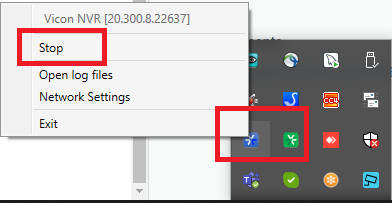
You may then need to restart the VIIAPP and VIINVR (depending on if the system corrected) services from the icon in the system tray or from windows services.
If you have questions please submit a ticket at https://vicon-security.zendesk.com/hc/en-us/requests/new