Under Configuration>>System>>Networking
You will have to set up a with your email provider.
If you don have one, Just create a free outlook account.
Gmail lately has been locking this setup, but you can try with your gmail account.
EX:
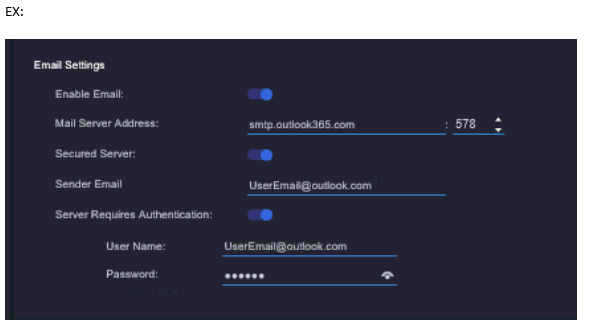
First Get the settings for your email provider. Most email provider by default stmp and pop account is locked.
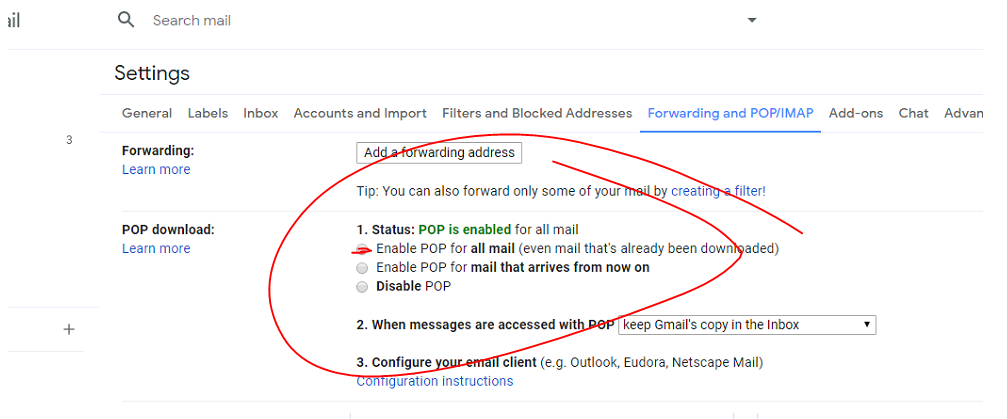
Ex: Gmail you must activate pop setup and turn on less secure apps.
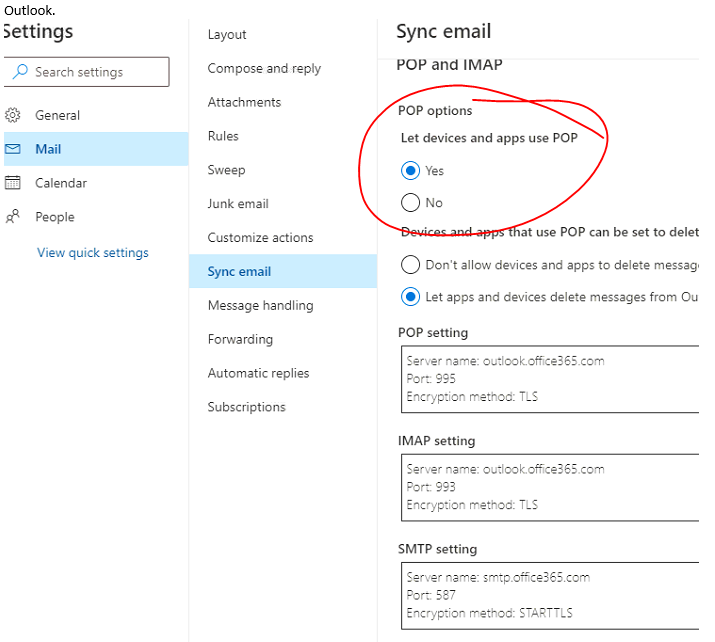
Outlook your just have to activate Pop Account.
EX: for gmail and outlook
Outlook.
GMAIL
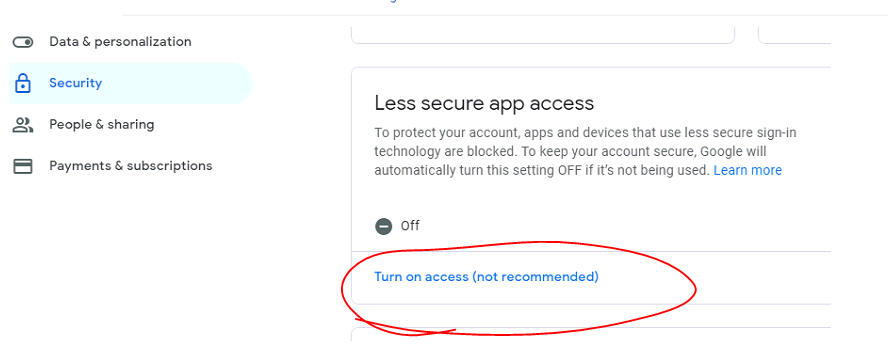
They can then add the email to valerus
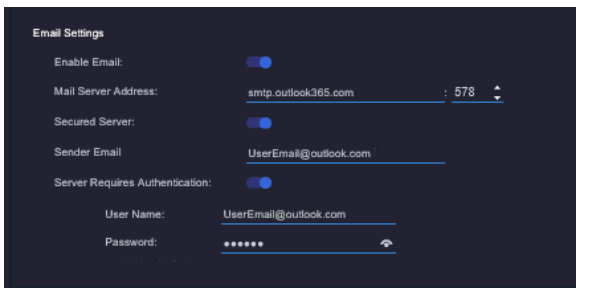
Once they do this make sure they are still log into the email as they would get an email stating someone is hacking into there system and only has a 2mins to allow and trust site.
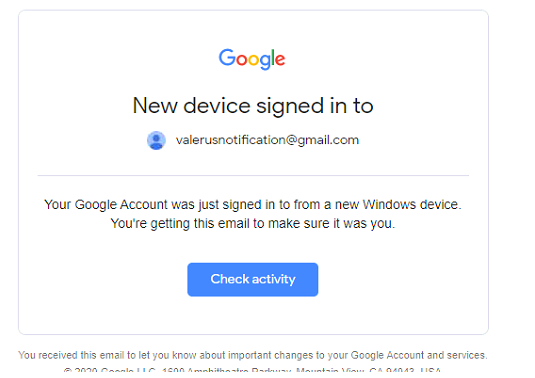
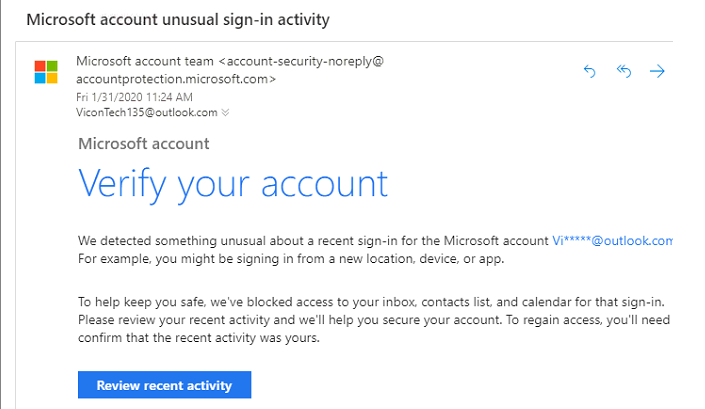 If this doesn’t pop up then it should come up when you run an email test in valerus.
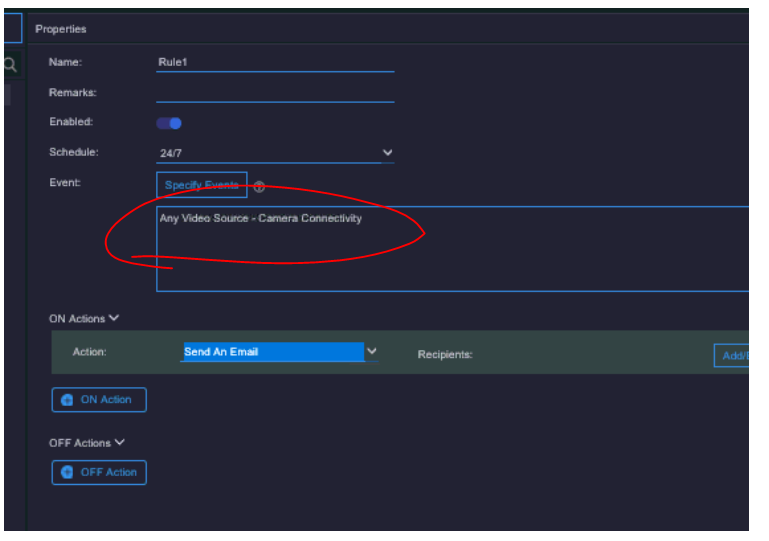
Go to Resources>>Rules and create an email rule.
One rule for any camera lost
And one rule for any NVR lost.
After that disconnect a camera or reboot the camera and it should send out an email, you can check your sent mail and incoming mail.